
16.5 Scheduled backups
Administration → Backup → Scheduled backups writes
encrypted backups to the data volume (backups/ directory)
on a schedule.
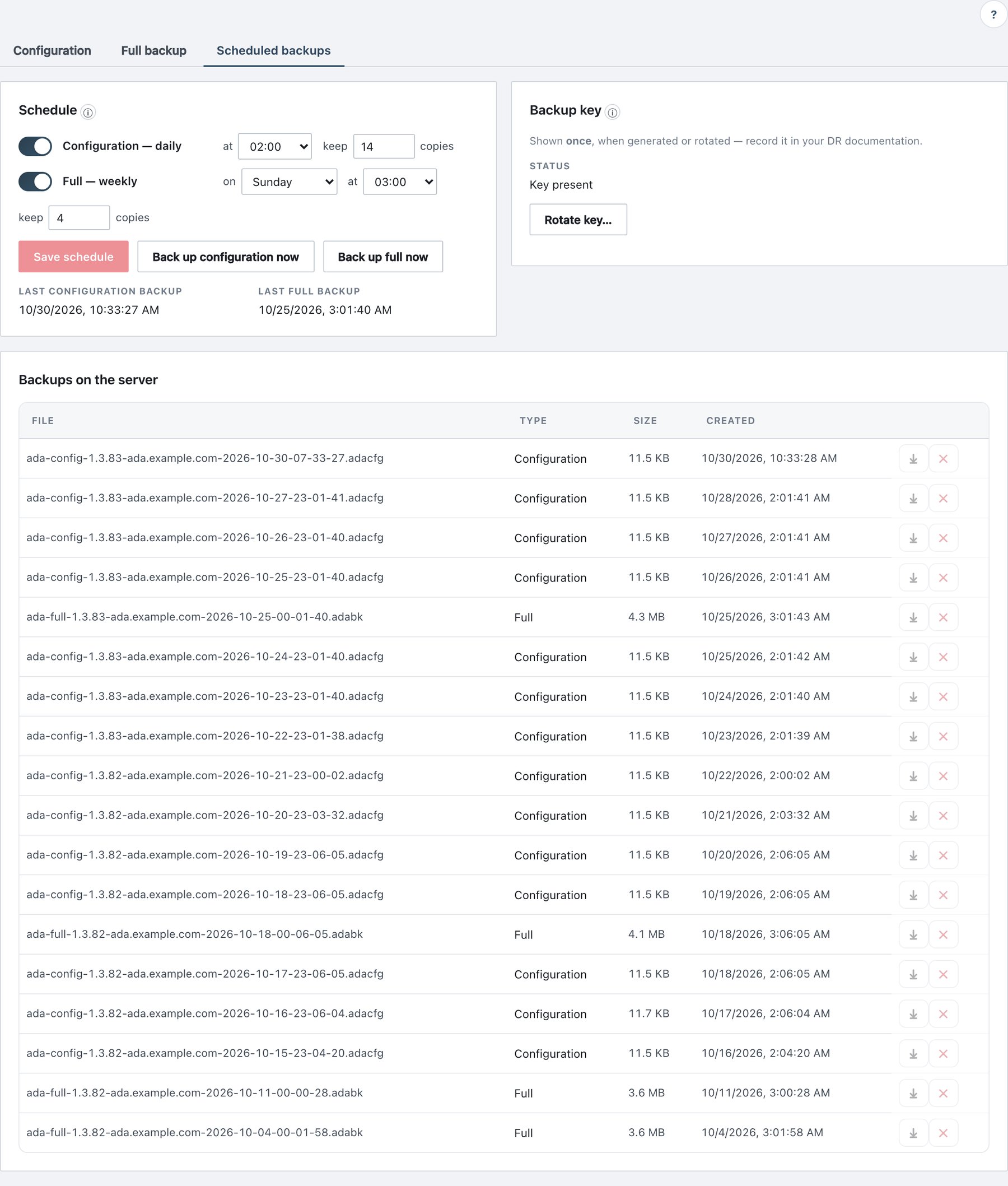
16.5.1 Schedule
| Field | What it does | Default / allowed values |
|---|---|---|
| Configuration — daily (switch) | Daily configuration backup (all sections). | Off |
| at | Hour, in the configured time zone. | 02:00 |
| keep … copies | Number of configuration backups retained; older ones are deleted. | 14 (1–365) |
| Full — weekly (switch) | Weekly full backup. | Off |
| on | Weekday. | Sunday |
| at | Hour. | 03:00 |
| keep … copies | Number of full backups retained. | 4 (1–52) |
Buttons: Save schedule (enabled when something changed), Back up configuration now, Back up full now. Below: Last configuration backup, Last full backup, and Last error when the last run failed.
Behaviour:
- The scheduler checks every 10 minutes. A run missed because the server was off is taken about 2 minutes after the server is back; later runs keep their normal time. No run starts during a restore.
- Each run writes
backup_createdorbackup_failed. Failures and overdue runs appear in the System health panel and raise a Service health alert. - Saving the schedule writes
backup_schedule_changed.
16.5.2 Backup key
Scheduled backups are encrypted with a server-held key (file
backup-key, mode 0600).
| Situation | What happens |
|---|---|
| No key yet | Status: No key yet. Generate key now, turning a schedule on, or the first Back up … now creates the key — after asking for your password — and shows it once. |
| Key shown | Copy it (Copy) and store it with your disaster-recovery documents, then click I have stored it. It is never shown again. |
| Rotate key… | Generates a new key for future backups (asks for your password). Existing files stay encrypted with the old key — keep the old key too. |
The key is also inside every full backup. It can also be created on
the host with sudo adactl backup key create. Events:
backup_key_created, backup_key_rotated.
16.5.3 Backups on the server
The table lists every scheduled backup: File,
Type (Full / Configuration), Size,
Created, and actions ⤓ (download) and
✕ (delete, with confirmation; logged as
backup_deleted). To restore a scheduled file, download it
and use the Configuration or Full backup sub-tab with the backup key as
passphrase.