12.6 Agent enrolment and approval
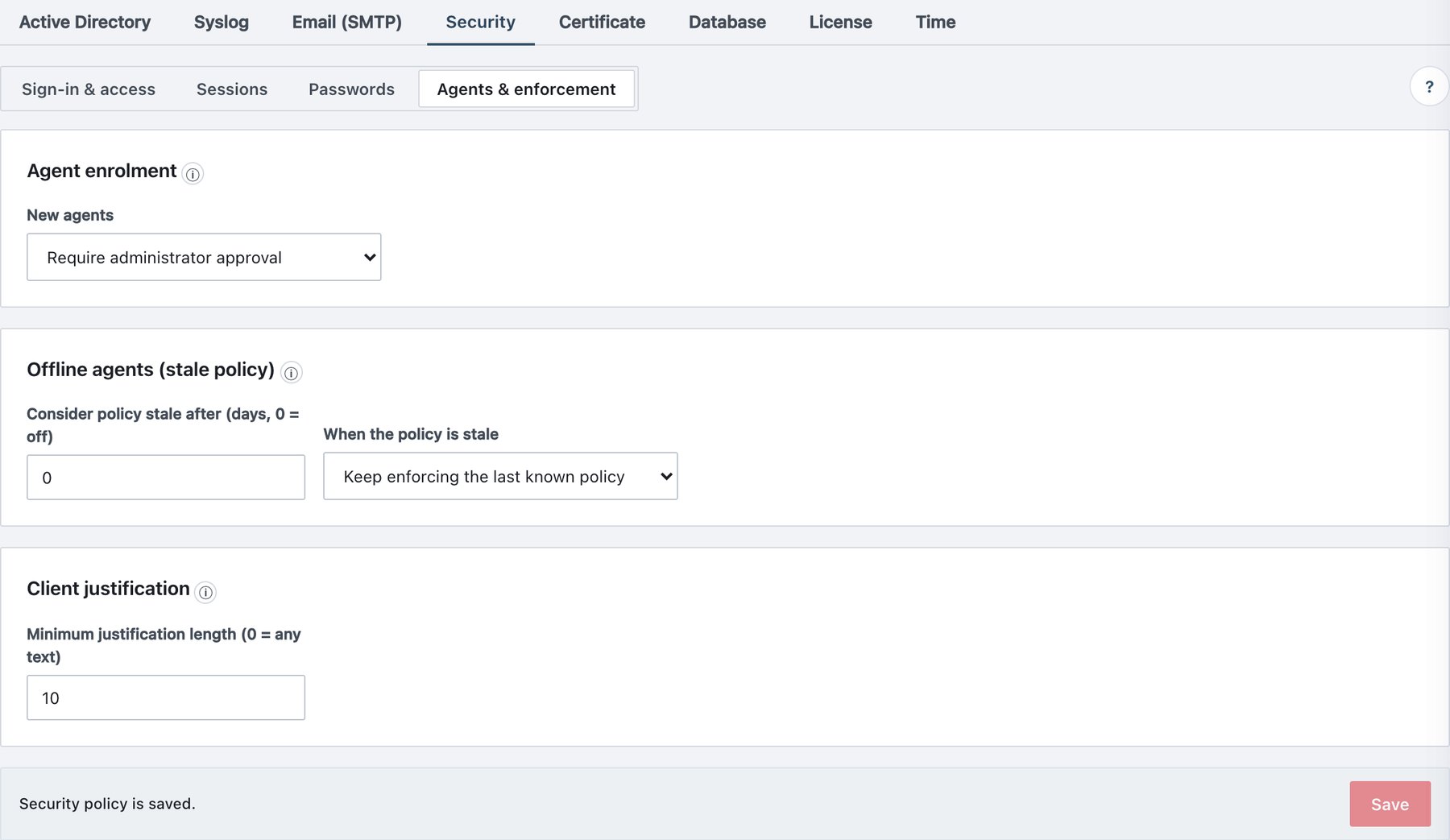
By default, any agent holding a valid enrolment token joins automatically. To require approval, open Administration → Settings → Security → Agents & enforcement → Agent enrolment:
| Field | What it does | Default / allowed values |
|---|---|---|
| New agents | Whether a newly installed agent joins automatically or waits | Join automatically (a valid token is enough) (default) · Require administrator approval |
With approval required: - A new agent appears on Agents → Agents with a pending approval badge (tooltip “Awaiting administrator approval — this agent is passive”). - It also appears on the Overview “awaiting approval” list. - While pending, the agent receives no policy and no commands. That makes a stolen setup token useless on its own. - Agents already registered are unaffected.
To approve: 1. Click Approve in the row. 2. Confirm
“Approve”agent_approved. The agent gets its policy
on the next heartbeat (≤60 s).
An agent whose identity was revoked must re-enrol. With approval on, it waits for approval again.
The same card group holds Offline agents (stale policy):
| Field | What it does | Default / allowed values |
|---|---|---|
| Consider policy stale after (days, 0 = off) | Days without reaching the server after which the policy counts as stale | 0 (off); 0–90 |
| When the policy is stale | Keep enforcing the last known policy, or Switch to the strictest restrictions (fail-closed): label required on save, send and print; unlabelled attachments blocked; Outlook send mode Block | Keep enforcing; agents 1.3.81+ (Windows, macOS, web add-in) |