
6.9 Database
Administration → Settings → Database. Controls how long audit records are kept, when old records are purged, and the automatic removal of long-offline agents.
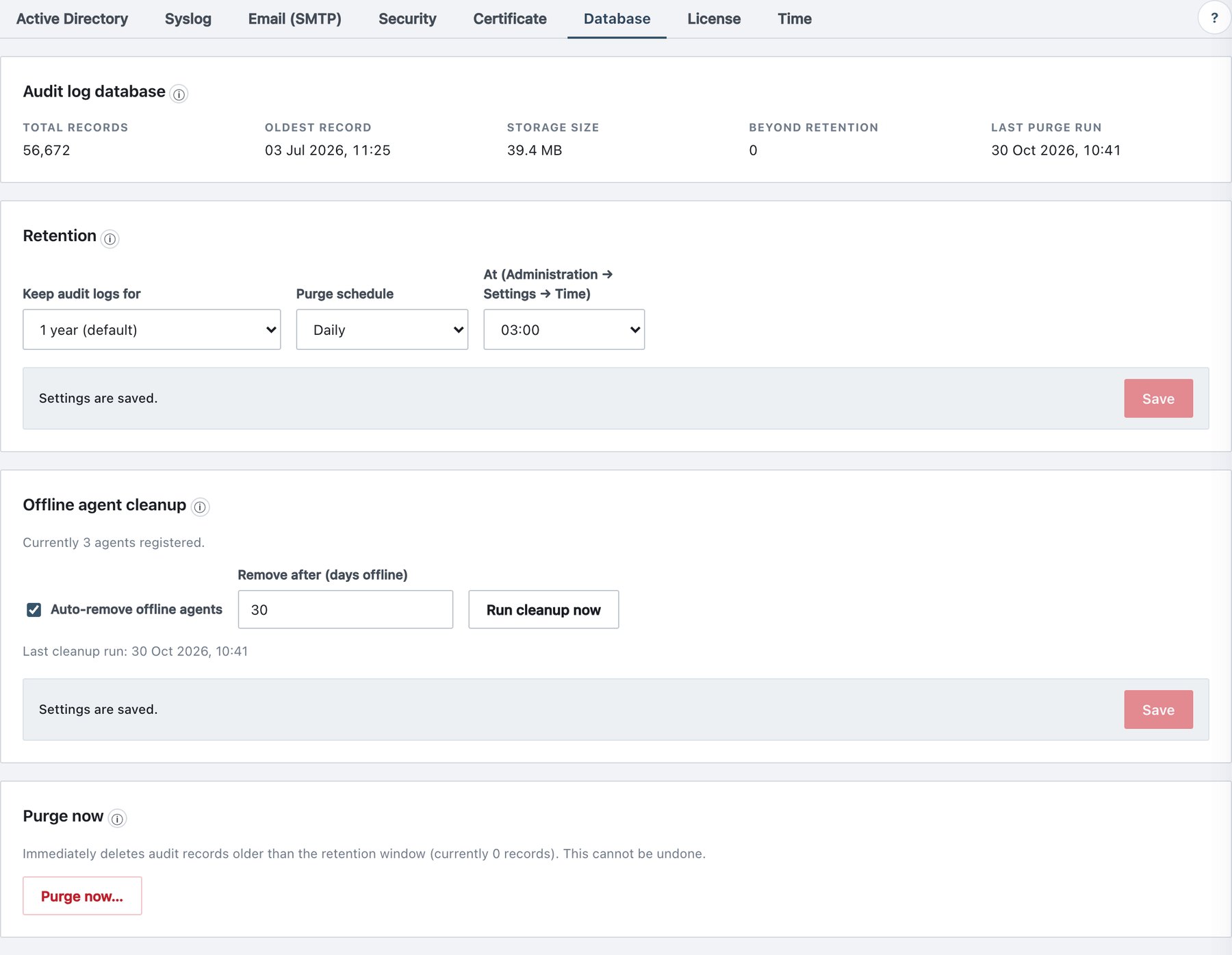
Audit log database (status)
| Item | Meaning |
|---|---|
| Total records | Records in the audit store. |
| Oldest record | Time of the oldest record. |
| Storage size | Size of the audit data. |
| Beyond retention | Records older than the retention window, removed by the next purge (10,000+ above that number). |
| Last purge run | Last scheduled or manual purge. |
| Chain anchor | Sequence number of the last purged record; integrity verification starts after it. |
Retention
| Field | What it does | Default / allowed values |
|---|---|---|
| Keep audit logs for | Retention window. | 90 days, 180 days, 1 year (default), 2 years, 3 years, 5 years (maximum). |
| Purge schedule | How often the purge runs. | Daily (default) / Weekly. |
| Day | Weekday of a weekly purge. | Sunday – Saturday (weekly only). |
| At (Administration → Settings → Time) | Hour of the purge, in the configured time zone. | 00:00 – 23:00. Default 03:00. |
Click Save in the card. The schedule is checked every 10 minutes; a run happens once per day (daily) or once per week (weekly) at or after the chosen hour.
Offline agent cleanup
| Field | What it does | Default / allowed values |
|---|---|---|
| Auto-remove offline agents | Removes agents that have not reported for the number of days below, once a day. | On. |
| Remove after (days offline) | Threshold. | 30; 7–3650. Editable also while auto-removal is off. |
- The card shows Currently N agents registered and Last cleanup run.
- Run cleanup now runs the removal immediately with the saved number of days, even when auto-removal is off. The confirmation names that number.
- Removal frees the licence seat. It is not an uninstall: an agent that comes back re-registers at its next heartbeat; if new agents require approval (section 6.8), it returns as pending and stays passive until approved.
- Each removed agent writes
agent_deletedwith the reason offline > N days (auto-prune).
The Retention and Offline agent cleanup cards are saved
independently. Both write retention_changed.
Purge now
- Read the count in the card: Immediately deletes audit records older than the retention window (currently N records). This cannot be undone.
- Click Purge now….
- Enter your password in Confirm with your password and click Confirm purge (or Cancel).
- The result appears at the top of the page: Purge completed — N records older than … removed.
Behaviour
- Deletion is permanent; purged records also disappear from future database backups.
- Every purge stores a chain anchor (sequence and hash of the last removed record). The tamper-evidence check verifies from the anchor forward, so the remaining log still proves it was never modified.
- Every purge, scheduled or manual, writes
audit_retention_purgedwith the record count, cutoff and trigger.