
10.5 General Enforcement
Policy → Rules → General Enforcement controls the save/print gates of desktop Office, the macOS save prompt, content-based file detection and the default label. (Outlook send enforcement and attachment checks are on Outlook Rules, see section 10.2.)
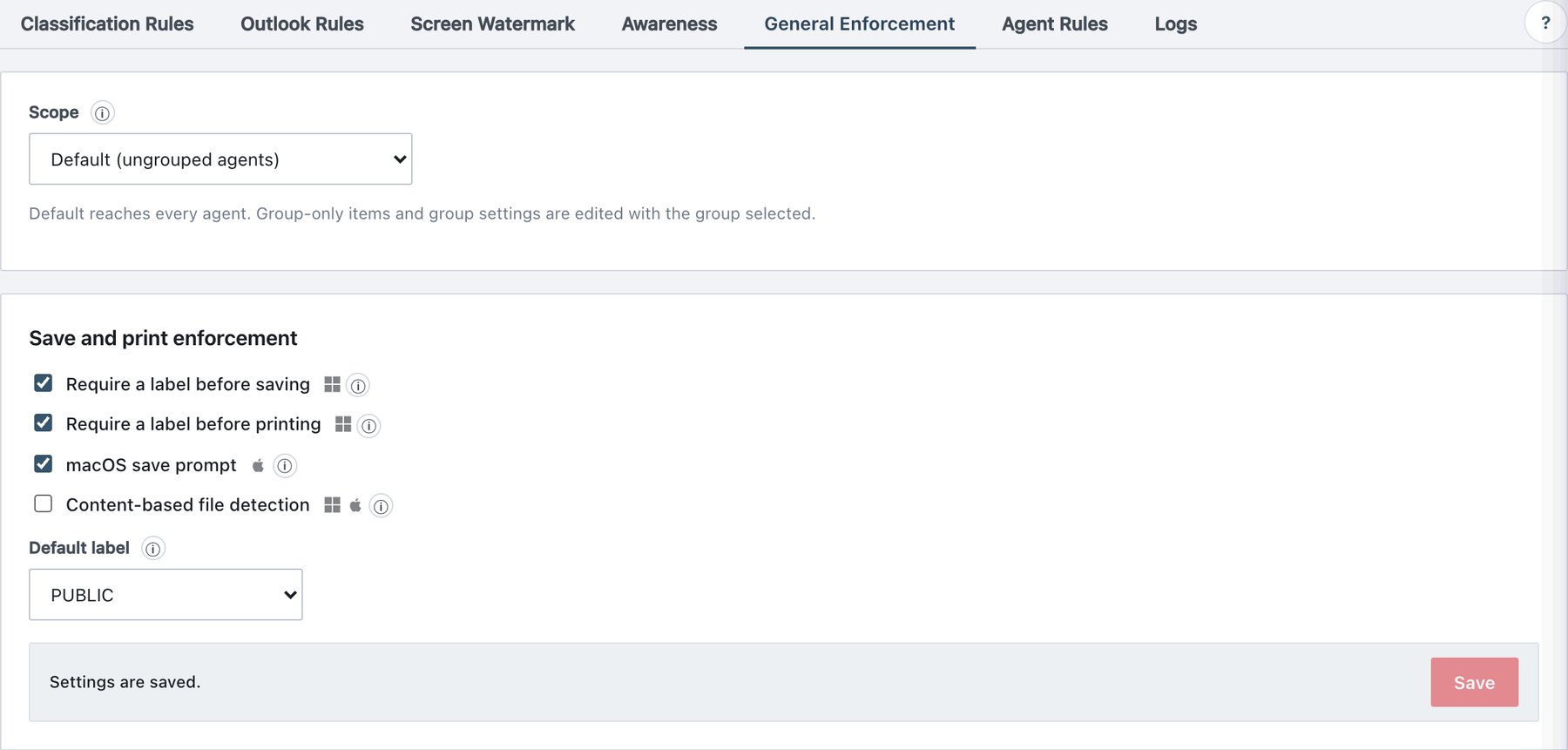
10.5.1 Scope and saving
- In Default scope you edit the base settings, delivered to ungrouped agents and used as the starting values for new groups.
- With a group selected, the card title becomes Save and print enforcement — “Finance” group and every change is written to that group explicitly. At Publish & Sign every group’s settings are frozen at their current effective values; later changes to Default do not flow into existing groups. Setting a group field back to the Default value does not “re-link” it.
- Changes stay in a draft until you click the tab’s Save; then Publish & Sign.
10.5.2 Field reference
| Setting (UI text) | What it does | Platforms | Default |
|---|---|---|---|
| Require a label before saving | Word, Excel and PowerPoint stop an unlabeled save until a label is picked. The classifier opens on the first real save of an unlabeled document, pre-selected with the content recommendation or the default label; closing it without a choice cancels the save. AutoRecover and background saves of never-saved documents are left alone. Content is re-read on every save, so a label chosen before sensitive text was typed is still forced up. Each application can be switched off under Agent Rules → Modules. | Windows (desktop Office COM add-ins) | Off |
| Require a label before printing | Word and Excel cancel an unlabeled print and say why; Outlook opens the classifier first and prints once a label is chosen, and hides File → Print on an unlabeled message until then. PowerPoint has no print gate. Labels carrying the No print restriction block printing regardless of this setting. | Windows | Off |
| macOS save prompt | Mac Office gives add-ins no save event, so the file monitor notices
the changed unlabeled file and the menu bar helper brings the classifier
to the front with the rule’s recommendation pre-selected. A short
cool-down per file stops autosave from flooding the screen; every prompt
is audited (agent_prompted, label_cancelled)
even if the user closes the window. When off, the file is still scanned,
queued as pending and warned about — only the window stays away.
Requires File monitoring (section 10.6.1). |
macOS | Off |
| Content-based file detection | The file monitor normally trusts the extension list. With this on, a
file outside the list gets a cheap first-bytes check and is scanned when
it really is OOXML or PDF — closing the “rename to hide” gap
(report.docx → report.abc). Ignored folders stay ignored.
Labeling itself always picks the right labeler from the content. Costs
extra disk work on busy home folders. |
Windows, macOS | Off |
| Default label | Pre-selects this label in the classifier when nothing higher is suggested. The agent never stamps it by itself — the user still confirms. On send the highest of the content recommendation, the top attachment label and this label wins; on save it fills in when no rule matched. (none) opens the picker with nothing selected. In a group scope only labels visible to that group are listed; choosing (none) in a group is kept as an explicit “no default label”. | Windows, macOS, web add-in | (none) |
10.5.3 Procedure — require a label on save for one department only
- Policy → Rules → General Enforcement, Scope = Finance.
- Tick Require a label before saving.
- Click Save at the bottom of the card, then Publish & Sign.
- Finance machines enforce at the next sync; other groups keep their own frozen values.
The publish is recorded as Policy published with the
detail Enforcement settings changed.