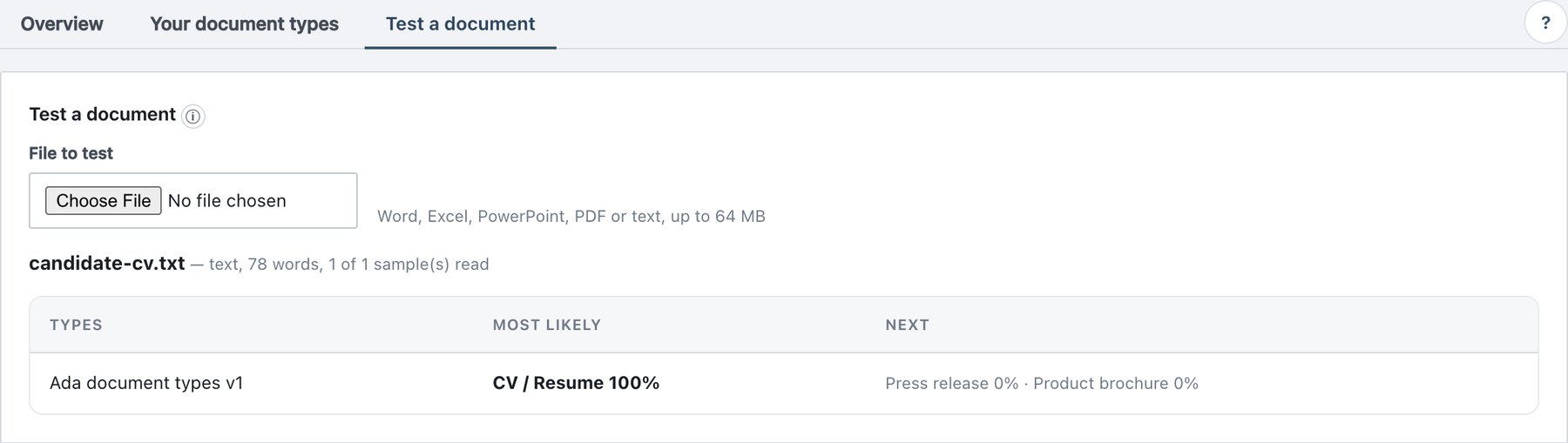
11.8 Test a document
Policy → AI Classification → Test a document scores one file exactly as the agents read it.
- Click File to test and choose a file (same formats as examples, up to 64 MB).
- The page shows
— reading… , then— docx, 3,214 words, 3 of 3 sample(s) read . - The result table lists:
| Column | Content |
|---|---|
| Types | The decision layer — your types appear in the row Your document types. |
| Most likely | The most probable type and its probability, or none of these types (the “other” class). |
| Next | The next two candidates with probabilities. |
- If the most likely result is one of your types and it is wrong,
click Not
? Add as counter-example . The same file is stored as a counter-example of that type (Added as a counter-example of X — train again in Your document types to use it.). Train again to apply it.
Notes:
- The file is not stored; only the event AI test document scored (file name and size) is written to the audit.
- N of M sample(s) read: long documents are sampled (section 11.10.3).
- The test is unavailable (with a warning) when the AI service is down or no model is installed.
- Use it before building a rule on a type, and to understand why a rule did or did not fire on a particular file.