
10. Rules
Classification and Outlook rules, screen watermark, awareness, enforcement, agent rules and logs.
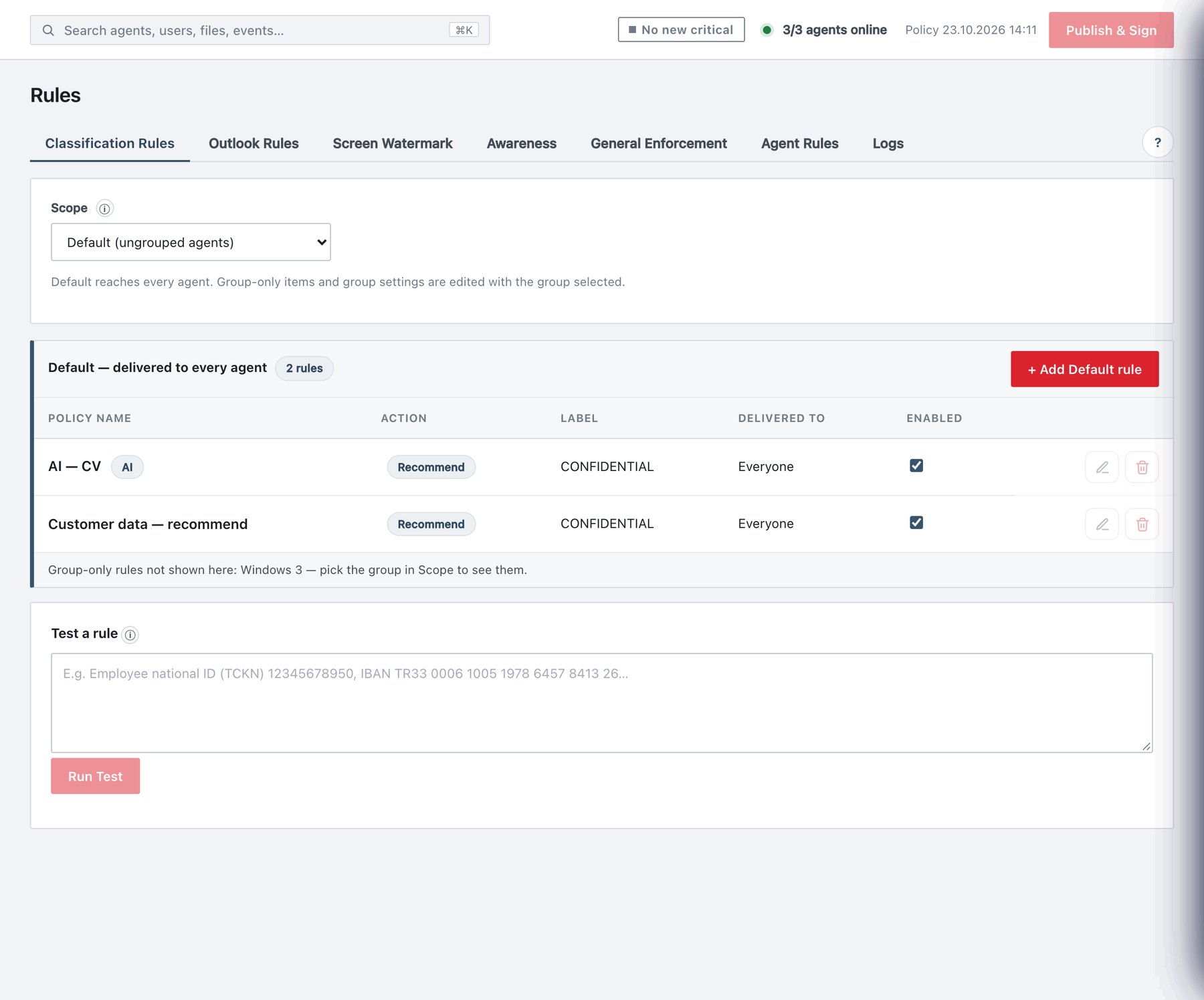
Policy → Rules is where you decide what Ada does with content: which label a document or email should carry, when the user may not go lower, what must be masked, which warnings users see, and how Outlook behaves on Send. Labels (the sensitivity ladder) and groups (who receives what) are defined on their own pages; the Rules page uses both.
This chapter covers the page itself, Classification Rules (section 10.1) and Outlook Rules (section 10.2). The remaining sub-tabs — Screen Watermark, Awareness, General Enforcement, Agent Rules and Logs — are described in 10.3–10.7.
In this topic
- 10.0 The Rules page
The page opens with a collapsible help panel, How do rules work? . It summarises the rule model (no rule priority, conditions, actions, groups, modules, Outlook auto label). It is reference text only; nothing in it…
- 10.1 Classification Rules
Policy → Rules → Classification Rules holds the content rules. A rule looks at the text of a document or email and, when its conditions are met, takes one action:
- 10.2 Outlook Rules
Policy → Rules → Outlook Rules controls what happens when users send email and meeting requests: whether a label is mandatory, how attachments influence the email’s label, and which recipient domains label a message…
- 10.3 Screen Watermark
Policy → Rules → Screen Watermark holds two separate agent features that both act on what is on the screen rather than on the file:
- 10.4 Awareness
Policy → Rules → Awareness schedules short reminder messages (for example data-protection reminders) that pop up on every managed machine at an interval you choose. Messages are delivered inside the signed policy and…
- 10.5 General Enforcement
Policy → Rules → General Enforcement controls the save/print gates of desktop Office, the macOS save prompt, content-based file detection and the default label. (Outlook send enforcement and attachment checks are on…
- 10.6 Agent Rules
Policy → Rules → Agent Rules configures the endpoint agents themselves: which modules run, file-scanning limits, unlabeled-file warnings, document metadata, the Office add-in lock, the web add-in catalog, the help…
- 10.7 Logs
Policy → Rules → Logs decides which client events are reported to the server, per surface. Administrator and server events (logins, policy publishes, service actions…) are not listed and can never be switched off.