13.2 Agents → Agents — the list
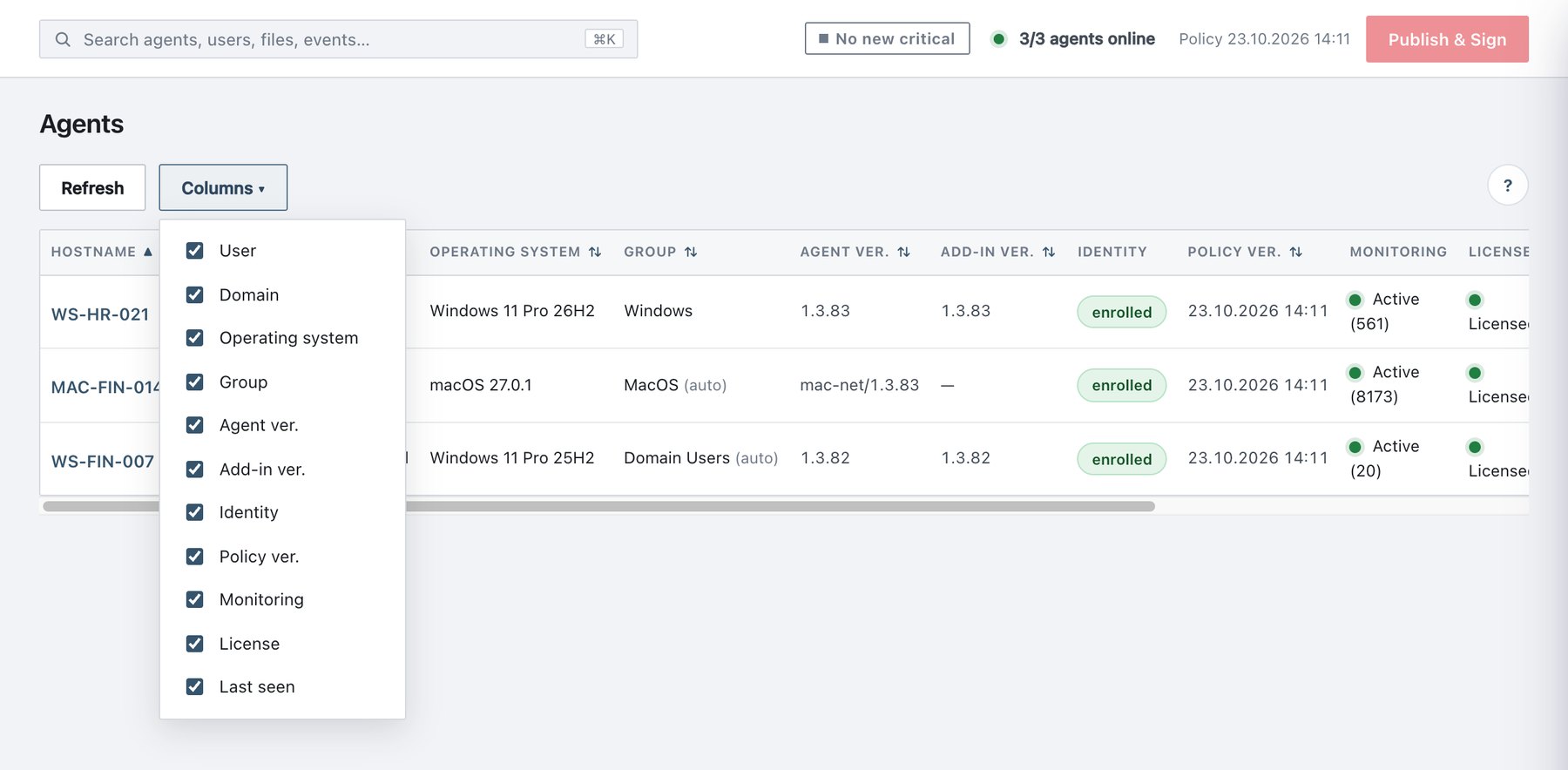
Agents → Agents lists every agent that has ever sent a heartbeat. The page has a Refresh button and a Columns ▾ picker. There is no search box or filter: sort by any column header instead (click once for ascending, again for descending). Ties sort by hostname.
If no agent has registered yet, the page shows “No agent registered yet. If AdaAgentService is installed and running on the client, the first heartbeat arrives within 60 seconds at most.”
13.2.1 Columns
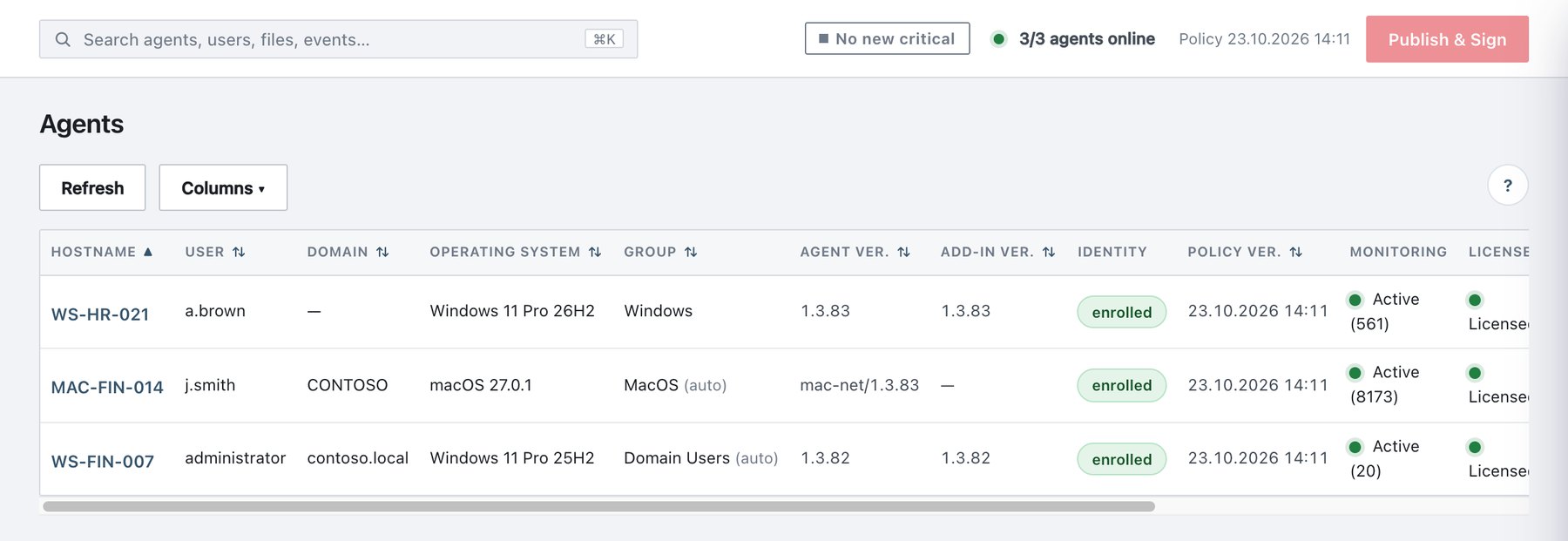
Hostname, Status and Actions are always shown. All other columns can be hidden with Columns ▾. The choice is remembered in this browser only. Long values are clipped to one line; hover to see the full value.
| Column | Shows | Sort |
|---|---|---|
| Hostname | Machine name; click it to open the detail drawer. Badges before the name: | Alphabetical |
| User | Signed-in user last reported | Alphabetical |
| Domain | AD / NetBIOS domain, or — |
Alphabetical |
| Operating system | OS name and version, with any “Microsoft” prefix removed; the tooltip adds the architecture | Alphabetical |
| Group | The effective policy group, as resolved by the server: | Group name; Default sorts last |
| Agent ver. | Agent build | Text |
| Add-in ver. | Version of the Office COM add-in DLLs on disk. One value if all
match; otherwise per app, e.g. Word 1.3.83, Excel 1.3.82 (a
half-finished upgrade). — on macOS. |
Text |
| Identity | enrolled (signs with its own key; tooltip shows enrolment date, key ID and certificate expiry) · not enrolled (a 1.1.x agent that cannot connect to this server until upgraded) · revoked | — |
| Policy ver. | Policy version the agent last applied (same format as the top bar; raw value in the tooltip). Compare it with the published version to spot machines that have not synced. | Text |
| Monitoring | File-monitoring state: | — |
| License | Licensed (enforcing) · Passive
(the agent reports its license gate is closed: expired or invalid) ·
Over limit (beyond the licensed seat cap; parked and
not enforcing until seats are freed) · — (no report; older
build) |
Problems first: Over limit, Passive, unknown, Licensed |
| Last seen | Relative time (12 sec ago, 5 min ago, then
the date); full timestamp in the tooltip |
Time |
| Status | 🟢 Online · ⚪ Offline (no heartbeat for 180 s) · 🔴 Disabled (online, but enforcement was disabled by command) | Online, Disabled, Offline |
| Actions | Row action icons (section 13.2.2) | — |
unprotected badge. This appears when tamper
protection is on in the policy but the agent reports it never received
it. Usually the agent has no valid token and gets the sanitized policy.
On such a machine, password-protected uninstall is impossible. The
tooltip names the cause and the date it began. Fix: reinstall with the
console installer, or with -IngestTokenFile.
Audit records: - When the badge appears:
agent_unprotected. - When protection returns:
agent_protection_restored.
13.2.2 Row actions
| Control | Command | Effect | Confirmation |
|---|---|---|---|
| Approve (only on pending agents) | — | Activates the agent: it starts receiving policy and commands. Audit
agent_approved. |
“Approve” |
| ↻ Restart | restart |
Restarts the agent service (Windows) or the agent process via launchd (macOS). The agent fetches the policy immediately on start. This is the quickest way to push a just-published policy to one machine. | — |
| ■ Shut down | shutdown |
Windows: stops the agent and guard services. There is no protection until they are started again. If tamper protection is on for the machine, the agent refuses: “Shutdown refused — tamper protection is ON for this machine…”. macOS: not supported (the command fails with “command ‘shutdown’ is not supported on macOS”). | “The Ada agent and guard services on |
| ⏻ Disable enforcement / Enable enforcement | disable / enable |
Disable turns off ALL Ada enforcement (save, print, send): | Disable: “ALL Ada enforcement (save/print/send) on |
| 🗑 Delete | — | Removes the agent’s record and history from the inventory, plus its
pending-file inventory. Ada is not uninstalled. An
online machine re-registers on its next heartbeat. Audit
agent_deleted. |
“Delete agent” |
Commands are queued and delivered on the next heartbeat (≤60 s). The
banner confirms, for example: “Restart” command queued — the agent will
apply it on its next heartbeat (≤60 sec). Command audit records: -
agent_command_issued - agent_command_done -
agent_command_failed