11.4 Overview
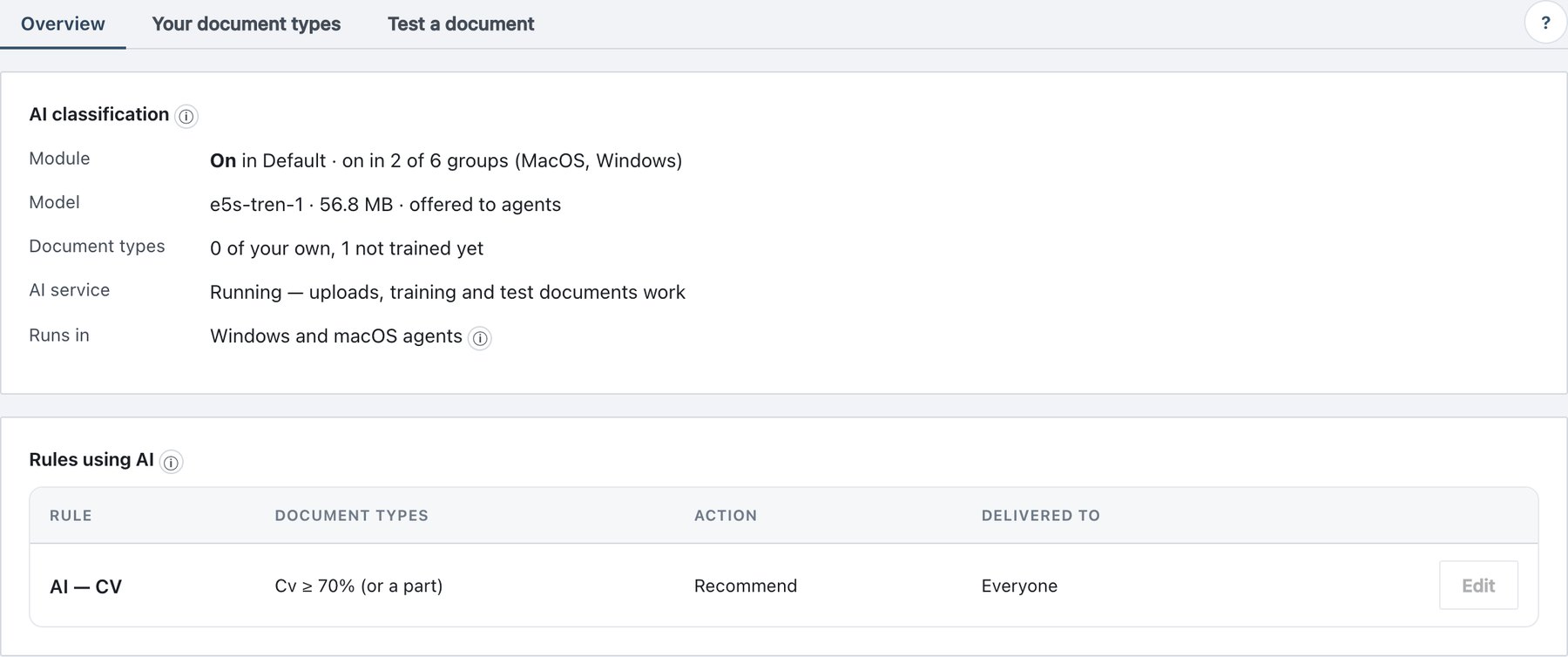
Policy → AI Classification → Overview shows two cards.
AI classification card
| Row | What it shows | What to do if it is wrong |
|---|---|---|
| Module | off badge with AI rules do nothing until the module
is on when the module is off in Default and in every group.
Otherwise On/Off in Default and on in N of M groups
(names). |
Turn the module on in Policy → Rules → Agent Rules → Modules (section 11.7.1) and publish. |
| Model | <version> · <size> MB · offered to agents.
If missing: Not installed on this server (reason) — AI conditions
never match. The AI status could not be loaded if the
request failed. |
The model comes with the release package; reinstall or upgrade the server release. |
| Document types | N of your own, plus , N not trained yet for types that exist but are not in the trained layer; — none yet when there are none. | Train (section 11.6). |
| AI service | Running — uploads, training and test documents work, or Not responding — uploads, training and test documents are unavailable. Check Administration → Status. | Check or restart AI service (ada-ml) on Administration → Status. Agents are not affected; they score locally. |
| Runs in | Windows and macOS agents, with an ⓘ listing where exactly (section 11.10). | — |
Rules using AI card
Lists every Classification Rule that has an AI condition or AI exception, in any scope.
| Column | Content |
|---|---|
| Rule | Rule name, with test mode badge (shadow rule) and
disabled badge when applicable. |
| Document types | Each AI condition as <type> ≥ <threshold>,
with (or a part) when Look at is Document
or a part. |
| Action | Recommend, Warn, Enforce. |
| Delivered to | Everyone, Only Finance, Finance · Legal, or Everyone except Contractors, from the rule’s groups / excluded groups. |
| (button) | Edit (or View) opens the rule in the rule editor. |
When no rule uses AI, the card says No rule uses AI yet with a link to Your document types.