
6.6 Email (SMTP)
Administration → Settings → Email (SMTP). Defines the one SMTP server Ada uses to send mail, and the default alert recipients.
Ada sends these mails through it:
| Sender name | Recipients | |
|---|---|---|
| Alerts (categories and custom rules from Reports → Alerts) | ADA Alert | Default recipients + opted-in users (see below); a custom rule may replace them with its own list |
| Report e-mails and scheduled reports | ADA Reports | Recipients chosen in Reports |
| Password-setup and password-reset links for local console users | — | The user’s e-mail address |
| Outage mails of the host watchdog | — | Default recipients |
What the page shows
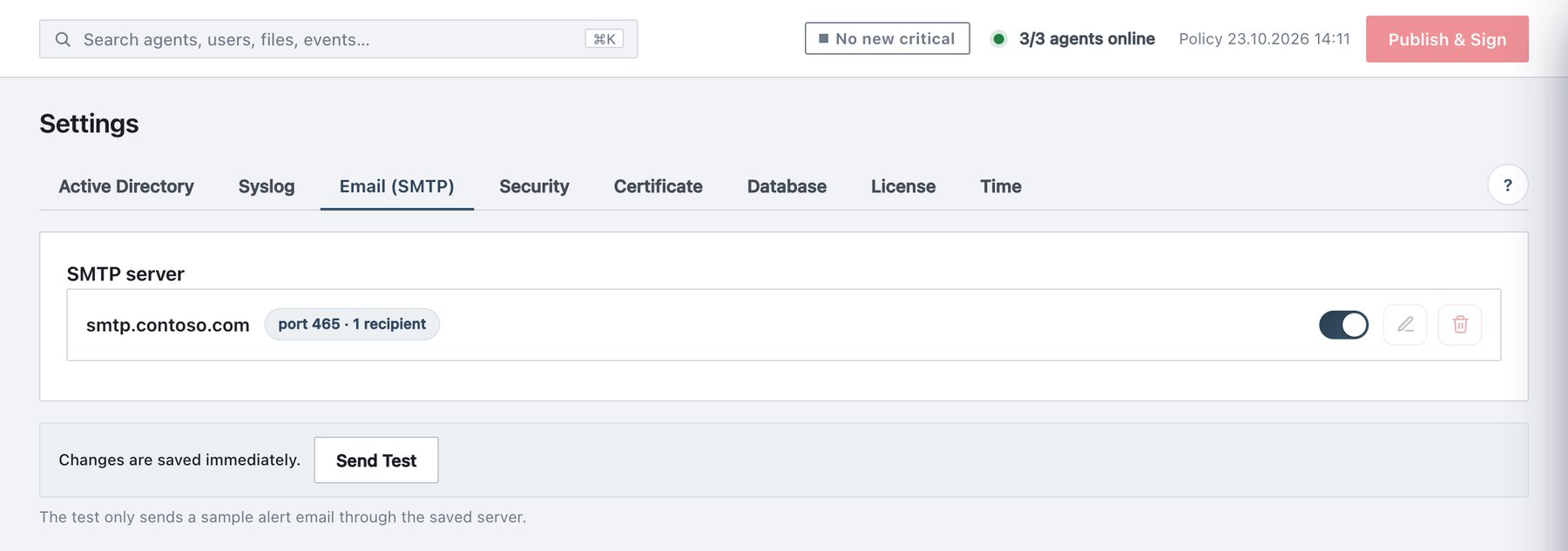
The SMTP server card shows one row (or No SMTP server yet… and + Add server): the display name or host, a badge with host, port and number of recipients, a disabled badge when off, an on/off switch (applies immediately), Edit and Delete. Below: Changes are saved immediately. and Send Test.
Configure SMTP
- Click + Add server (or the pencil).
- Fill in the fields below and click Save (applies immediately).
- Click Send Test. A sample alert (ADA Alert — Test) goes to the default recipients and opted-in users. The result appears under the button: green (Email test — sent), yellow (Email is off…) or red with the SMTP error.
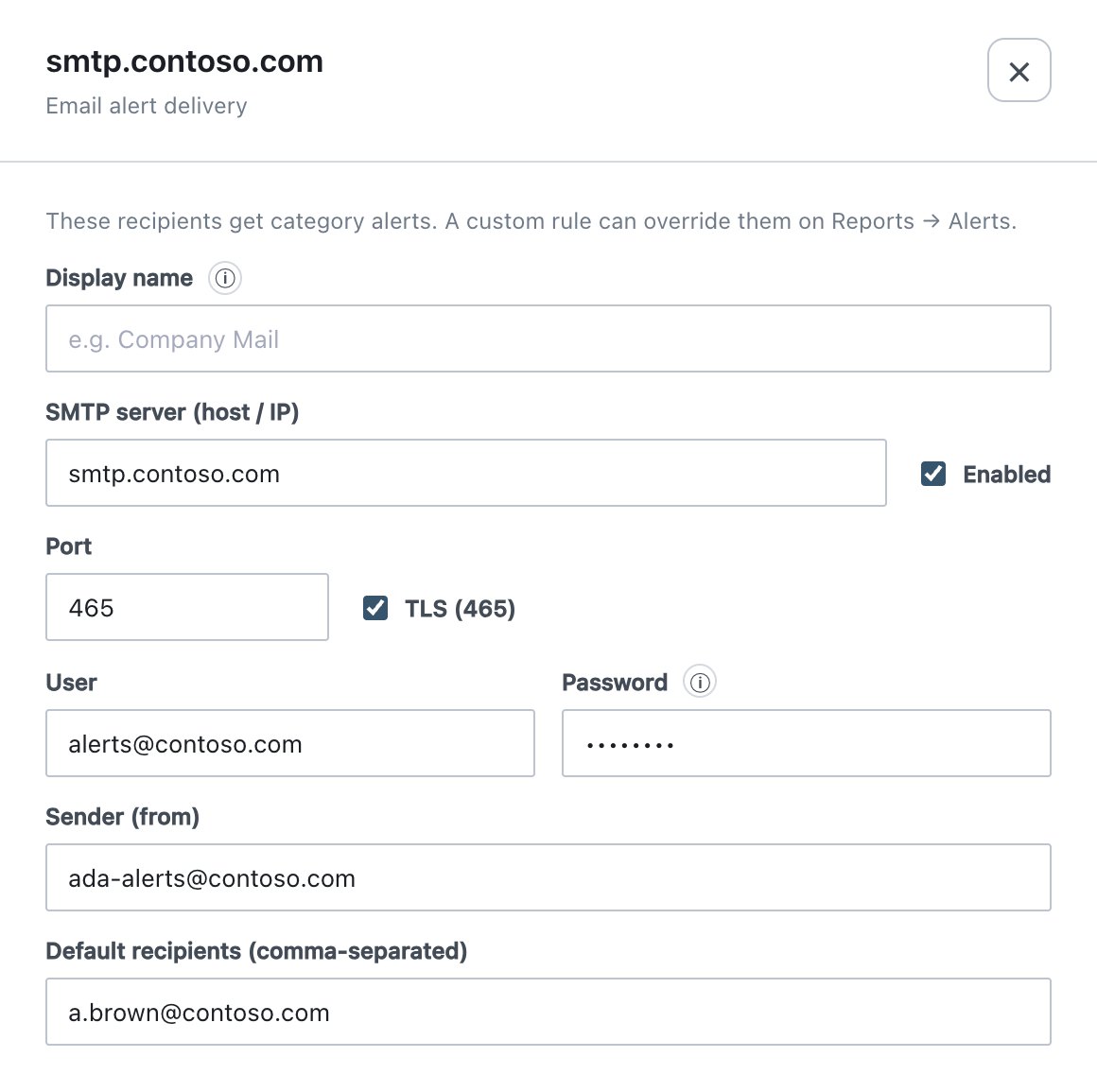
| Field | What it does | Default / allowed values |
|---|---|---|
| Display name | Labels the server in this list only; not the sender name. | Optional. |
| SMTP server (host / IP) | Mail relay. | Required for a working configuration. |
| Enabled | When off, no alert e-mails are sent. | On for a new server. |
| Port | SMTP port. | Default 587. Ticking TLS does not change the port; set 465 yourself. |
| TLS (465) | Implicit TLS from the first byte. | Off. Off = plain connection upgraded with STARTTLS when offered. |
| User | SMTP authentication user. | Empty = anonymous relay. |
| Password | SMTP password. | Shown masked. While User is set, empty or masked keeps the stored password; clearing User removes the stored credentials. |
| Sender (from) | From address. | If empty, the User value is used. |
| Default recipients (comma-separated) | Recipients of category alerts. | List of addresses. |
TLS rules
- With User set and TLS (465) off, STARTTLS is required: a server that does not offer it is refused instead of receiving the password in plain text. The drawer warns: Credentials require TLS — the server refuses to send them in clear text…
- An anonymous relay without TLS keeps working.
- The SMTP server certificate is always verified. A certificate from a
private CA is trusted only if that CA was added at installation
(
ADA_EXTRA_CA_CERTSin the server’s.env); there is no console switch to skip the check. - The host watchdog follows the same rules.
Who receives alert e-mails
The default list, plus, de-duplicated:
- local console users with an e-mail address and Send alert emails to this address ticked (Users or Account);
- AD user targets under Users → Active Directory access with ✉ alerts ticked (the address from the AD mail attribute).
A custom alert rule with its own recipient list sends only to that list.
Behaviour
- Delete asks for confirmation and clears the whole SMTP configuration; alert e-mails stop.
- Storm protection: an ordinary alert mail is suppressed if another went out less than 3 seconds earlier (noted in System → Email log). Alerts of severity error or worse, and certificate, disk and container alerts, are never suppressed.
- The SMTP connection is checked every 15 minutes and right after each
change; failures appear in System and
Status and write
service_down/service_restored(service SMTP). - Changes write
alert_config_changed(password changes are noted, never the password).